
Every employee needs a work break. Four hours into a shift, attention starts to slip and small mistakes become more likely.
Plenty of workers can’t just step away when they need to. According to the U.S. Bureau of Labor Statistics, only 53.5% of workers could pause work for short, unscheduled breaks in 2025. For everyone else, scheduled breaks are the only rest they get.
That’s why the break schedule matters. Set break times on purpose and fit them around the work. Then use your time and attendance system to record them. That way employees get their rest and the floor keeps running.
How Can Shift Scheduling Optimization Reduce Disruptions During Mandatory Rest Periods?
Start by figuring out when breaks do the least damage. Look at shift lengths and production cycles. Then set break windows that fit around them.
Don’t send everyone at once. Stagger breaks across the shift so the line never empties out. Watch the busy stretches too. If orders spike between 10 a.m. and noon, schedule fewer breaks in that window and more on either side of it.
The goal is a schedule employees can count on. When people know when their break is coming, they’re less likely to skip it or take it at a bad time.
What Are the Best Practices for Break Policy Enforcement Across Shifts?
Breaks are a safety issue. The National Safety Council reports that fatigue contributes to 13% of workplace injuries.
A written policy alone won’t get people to take their breaks. Supervisors need to check that each employee actually takes the rest period they’re scheduled for.
Give employees a simple way to report a skipped break or an unapproved schedule change. Managers should follow up on those reports, especially when the same problem keeps showing up.
Hold every shift to the same standard. If second shift skips breaks and nobody says anything, first shift will notice. Bring up the break policy at shift meetings now and then so it doesn’t fade.
How Can Managers Maintain Employee Workflow Continuity During Scheduled Breaks?
Breaks go smoother when someone is ready to step in. Plan your staff backup ahead of time so nobody is scrambling when a worker leaves the line.
Before stepping away, employees should note where they left off. Assign a qualified coworker to cover active work so it doesn’t stall. Agree on which orders take priority. That way urgent work doesn’t fall behind while someone is out.
A clear handoff takes a minute or two. It keeps production moving without anyone skipping a break.
What Role Do Labor Management Tools Play in Standardizing Employee Break Schedules?
Skipped breaks are common. According to ezCater’s October 2026 Lunch Report, 54% of U.S. workers skip lunch at least once a week. In the same report, 84% said hunger hurts their job performance. Another 40% said they’re more likely to make mistakes.
Labor management tools show supervisors who’s on the clock and who never clocked out for lunch.
Digital timecards make missed punches and absences easy to spot. A live dashboard shows who’s available and how many hours each person has worked.
Over time, those records show where your coverage gaps are. Supervisors can use them to spread breaks more fairly across departments.
How Does Time and Attendance Software Track Mandatory Rest Periods?
Employees punch out when their break starts and punch back in when it ends. The software timestamps both. That gives you a record of every rest period.
Supervisors can run attendance reports to find missed or extra-long breaks. Employees can check their own hours and confirm their break times before timesheets are submitted.
Some systems also send an alert when a scheduled break is overdue. Either way, accurate break records make payroll compliance easier. That matters more as you add shifts and departments.
How Should Employers Schedule a Work Break Without Creating Production Bottlenecks?
Breaks cause problems when they aren’t planned. A worker who walks away mid-task can leave unfinished work behind. Worse, they might leave a machine running with nobody watching it.
Ask employees to finish time-sensitive tasks before they leave their stations. For equipment that can’t run unattended, set clear shutdown or handoff steps. Some machines need a designated person to watch them during breaks. Others just need to be confirmed safe before the operator walks away.
With a little coordination, you can keep production running and still give every worker their full break.
How Do Employee Break Periods Affect Hourly Payroll Calculations?
Federal law doesn’t require employers to offer rest or meal breaks, though some states do. If you offer them, the federal pay rules are fairly clear.
Short rest breaks of 5 to 20 minutes count as paid work time. Meal periods, usually 30 minutes or more, can be unpaid. That only holds if the employee is fully relieved of duty.
If someone gets pulled back to work during an unpaid lunch, that time counts as hours worked. Your time records need to separate paid breaks from unpaid meals. Good records support accurate payroll calculations and help prevent wage disputes.
Frequently Asked Questions
Can Employers Require Employees to Stay on the Premises During Rest Breaks?
Under federal law, generally yes. An employer can ask employees to stay on site during an unpaid meal break as long as they’re completely relieved of their duties.
Short rest breaks are paid work time. Employers have more say over how that time is used. Some states have stricter rules for both kinds of breaks. Check your state’s requirements before you limit where employees can go.
How Should Employers Handle Missed or Interrupted Rest Periods?
Document every missed or interrupted break. Then find out why it happened.
If an employee works during an unpaid meal period, you generally have to pay for that time. When the same interruptions keep happening, look at the cause. It may be a staffing gap or a schedule that doesn’t fit the workload.
Can Employees Combine Multiple Short Breaks Into One Longer Break?
Usually not, at least where state law requires rest breaks. Those states often say when breaks must happen during a shift. Stacking them into one long break can put you out of compliance.
Stick to your written policy instead of letting employees work out their own break arrangements. If a combined break is something your team keeps asking for, check your state’s rules before you allow it.
Track Every Work Break Accurately with TimeTrak
A break schedule only works if you can see whether people are taking their breaks. That comes down to accurate time records.
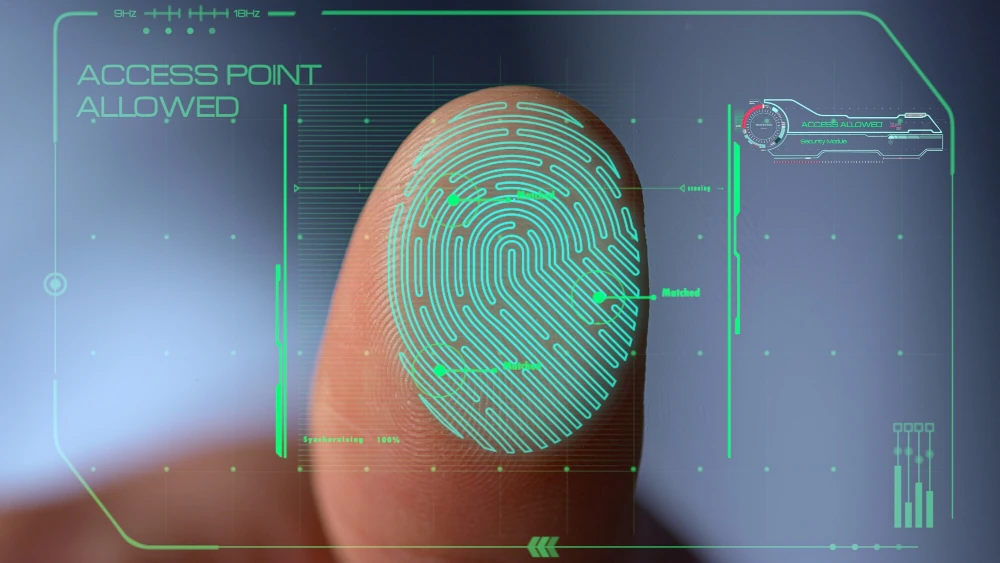
TimeTrak’s time and attendance systems record break punches along with regular clock-ins and clock-outs. Our fingerprint time clocks make sure each punch belongs to the right employee. Supervisors can review hours online and catch missed breaks before payroll goes out.
Contact TimeTrak to talk through break tracking for your team.